

What is Visily?
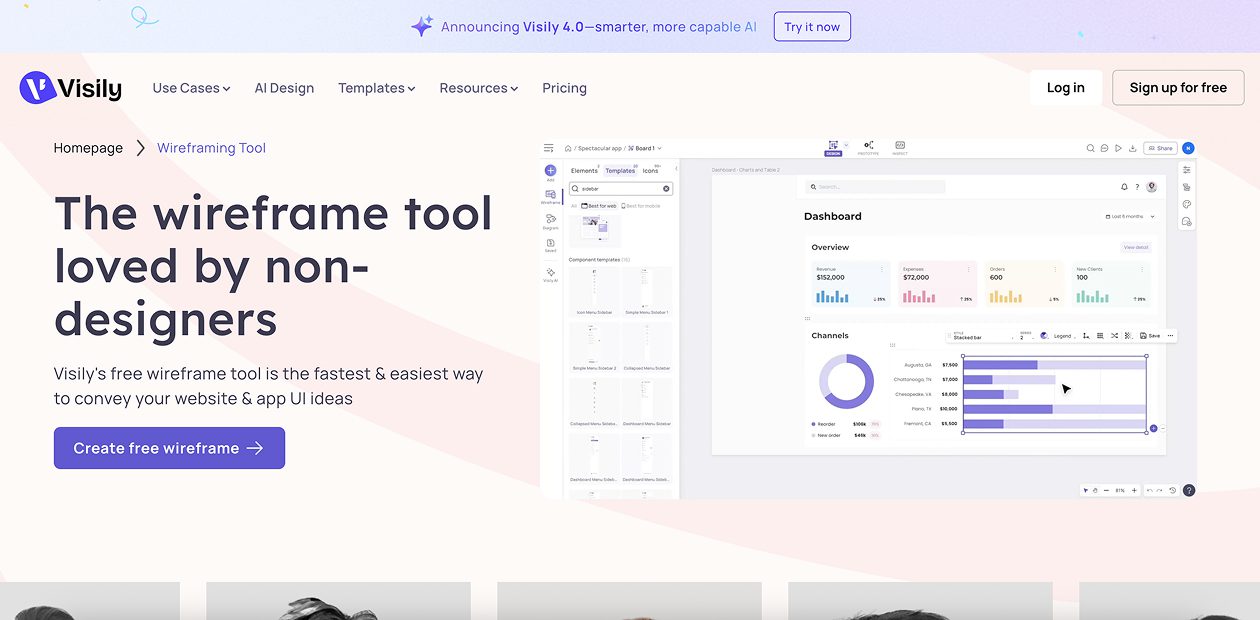
Visily is an AI-powered wireframe and mockup tool designed to make design accessible for non-designers. It allows users to create high-fidelity wireframes, interactive prototypes, and user flows using text prompts, sketches, screenshots, or ready-made templates.
Visily Key Features
- Text-to-Design: generate editable screens from natural language prompts
- Screenshot to Design: turn screenshots into wireframes or mockups
- Sketch to Design: convert hand-drawn sketches into digital wireframes
- Drag-and-drop editor with prebuilt UI components and templates
- Lo-fi to hi-fi toggle for flexible design views
- Wireflow and diagramming tools for user journeys and flows
- Real-time collaboration with comments and shared asset libraries
- Export to Figma for further refinement
- AI-assisted theming and content generation
Visily Use Cases
- Brainstorming app or website ideas quickly with AI assistance
- Rapid wireframing and prototyping without needing design expertise
- Visualizing user flows and diagrams alongside UI designs
- Cross-team collaboration between product managers, engineers, and marketers
- Creating early-stage visuals for client or stakeholder presentations
Visily Pricing
- Free Plan – Perfect for trying it out
- Mini Plan – $5/month per site
- Basic Plan – $15/month per site
- Pro Plan – $25/month per site
- Enterprise – Custom pricing for big teams
Pros of Visily
- Beginner-friendly with minimal learning curve
- Multiple AI input methods (text, screenshot, sketch, templates)
- Smooth transition from low-fidelity to high-fidelity designs
- Strong collaboration features for teams
- Easy export to Figma for professional design workflows
Cons of Visily
- AI conversions can sometimes be inaccurate with complex inputs
- Text-to-design results may feel generic or limited
- Lacks advanced vector editing and illustration features
- Prototyping is simpler compared to professional design tools
- Limited control over advanced styling and effects