

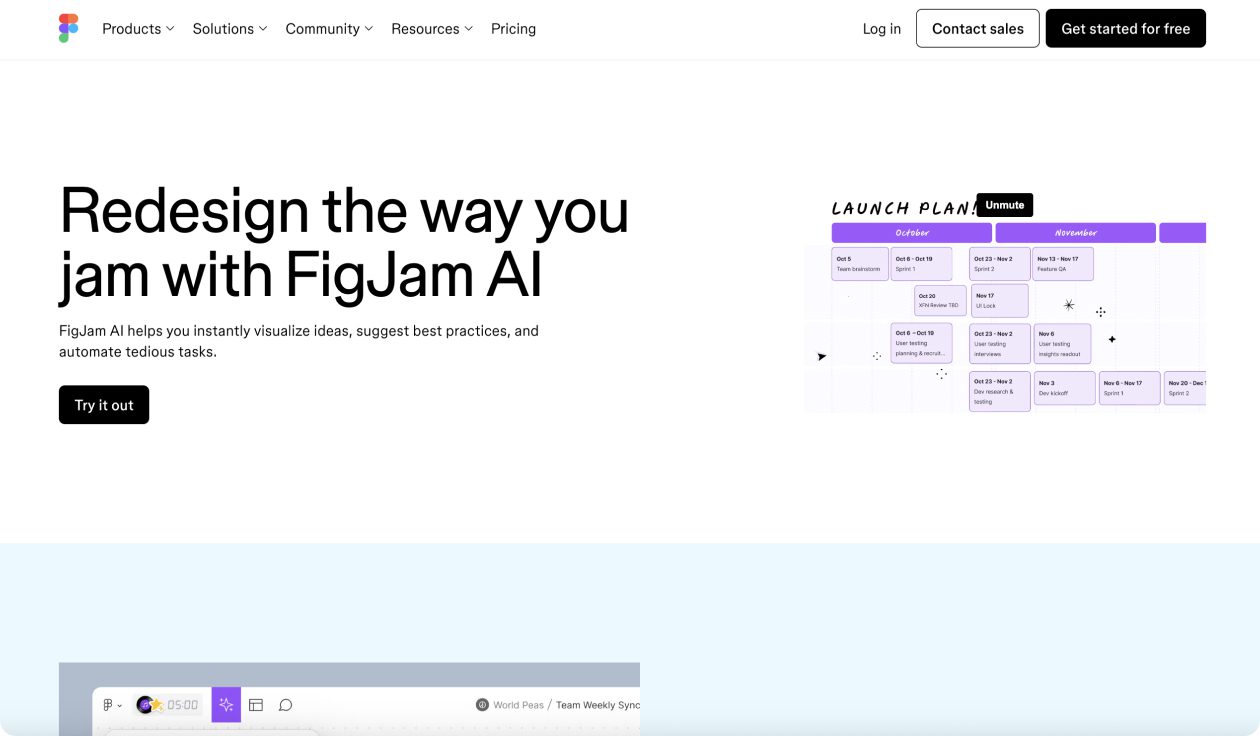
What is FigJam AI?
FigJam AI is Figma’s intelligent collaborative whiteboard that transforms how teams brainstorm, plan, and organize ideas. Instead of starting with a blank canvas and wrestling with tedious manual tasks, FigJam AI instantly visualizes your concepts, suggests best practices, and automates the busywork that slows teams down.
Built for remote and hybrid teams who need to collaborate effectively, FigJam AI combines the creative freedom of traditional whiteboarding with the power of artificial intelligence. Whether you’re running sprint planning, design thinking workshops, or weekly team syncs, FigJam AI helps you move from scattered thoughts to structured action plans in minutes, not hours.
FigJam AI Key Features
- Instant Template Generation: Generate templates for weekly team syncs, brainstorms, retros, and planning sessions from simple prompts. Skip the setup and jump straight into productive collaboration.
- Smart Sticky Note Sorting: Automatically organize stickies into meaningful categories and themes. AI identifies patterns and groups related ideas, saving hours of manual organization time.
- Intelligent Summarization: Transform walls of sticky notes into clear, actionable summaries with one click. Extract key takeaways and next steps that you can easily share with stakeholders.
- Pre-built Prompt Library: Access click-and-go prompts built on design thinking best practices and common team workflows. No need to craft the perfect AI prompt from scratch.
- Visual Timeline Creation: Generate project timelines, roadmaps, and org charts instantly. Turn complex project plans into clear visual narratives that everyone can understand.
- Jambot Integration: Bring ChatGPT-powered brainstorming directly into your boards. Generate ideas, create icebreakers, or even prototype code concepts without leaving FigJam.
- Real-time Collaboration: Work simultaneously with unlimited team members. See cursors, reactions, and changes in real-time as your team builds ideas together.
- Seamless Figma Integration: Move seamlessly between FigJam ideation and Figma design. Ideas generated in brainstorming sessions can flow directly into design work.
- Template Customization: Start with AI-generated templates and customize them to match your team’s unique processes and brand guidelines.
- Export and Sharing: Share AI-generated summaries, export boards as images, or create shareable links for asynchronous collaboration across time zones.
FigJam AI Pricing
- Free Plan
- Professional Plan: $12/editor/month (annual)
- Organization Plan: $45/editor/month (annual)
- Enterprise Plan: $75/editor/month (annual)
Note: AI features are currently free during the beta period through 2024, then will be included in paid plans.
FigJam AI Use Cases
- Sprint Planning & Agile Workflows: Generate sprint planning templates, organize user stories, and create visual roadmaps. Perfect for product managers and development teams running agile processes.
- Design Thinking Workshops: Facilitate ideation sessions, organize insights from user research, and create journey maps. Ideal for UX teams conducting design sprints and innovation workshops.
- Team Retrospectives: Generate retro templates, sort feedback into themes, and summarize action items. Keep team retrospectives focused and productive with automated organization.
- Weekly Team Syncs: Create recurring meeting templates, track project progress, and document decisions. Make team meetings more structured and outcomes more actionable.
- Brainstorming & Ideation: Break through creative blocks with AI-powered idea generation. Use Jambot to explore concepts, generate alternatives, and build on team input.
- Strategic Planning: Create visual business plans, competitive analysis, and strategic frameworks. Transform high-level strategy into clear, visual roadmaps.
- Customer Journey Mapping: Organize customer feedback, create journey maps, and identify pain points. Turn user research into actionable product insights.
- Project Planning & Timeline Creation: Generate project timelines, assign responsibilities, and track milestones. Perfect for project managers coordinating cross-functional initiatives.
- Remote Team Building: Create icebreaker activities, team exercises, and virtual workshop formats that keep distributed teams engaged and connected.
Pros of FigJam AI
- Templates and auto-sorting reduce setup time by 80%
- AI organization helps teams focus on insights, not logistics
- Real-time editing with unlimited participants
- Intuitive interface that anyone can use immediately
- Perfect bridge between ideation and design execution
- AI generates appropriate formats for any team activity
- AI pattern recognition surpasses manual sticky note sorting
- Access to powerful AI features at no additional cost currently
- Built specifically for distributed team collaboration
- Multiple ways to share and document session outcomes
Cons of FigJam AI
- Requires paid Figma plan: AI features need Professional plan or higher after beta
- Internet dependency: No offline capability for remote or low-connectivity situations
- Learning curve for advanced features: Custom templates and complex workflows take practice
- AI accuracy limitations: Automatic sorting sometimes misinterprets context or groups incorrectly
- Overwhelming for simple tasks: Feature-rich interface might be overkill for basic brainstorming
- Beta limitations: Current AI features may have usage limits as they’re still in development
- Template rigidity: AI-generated templates might not fit unique team processes perfectly
- Cost scaling: Pricing increases significantly for larger teams needing Organization features
- Limited offline access: Teams can’t work on boards without internet connection