

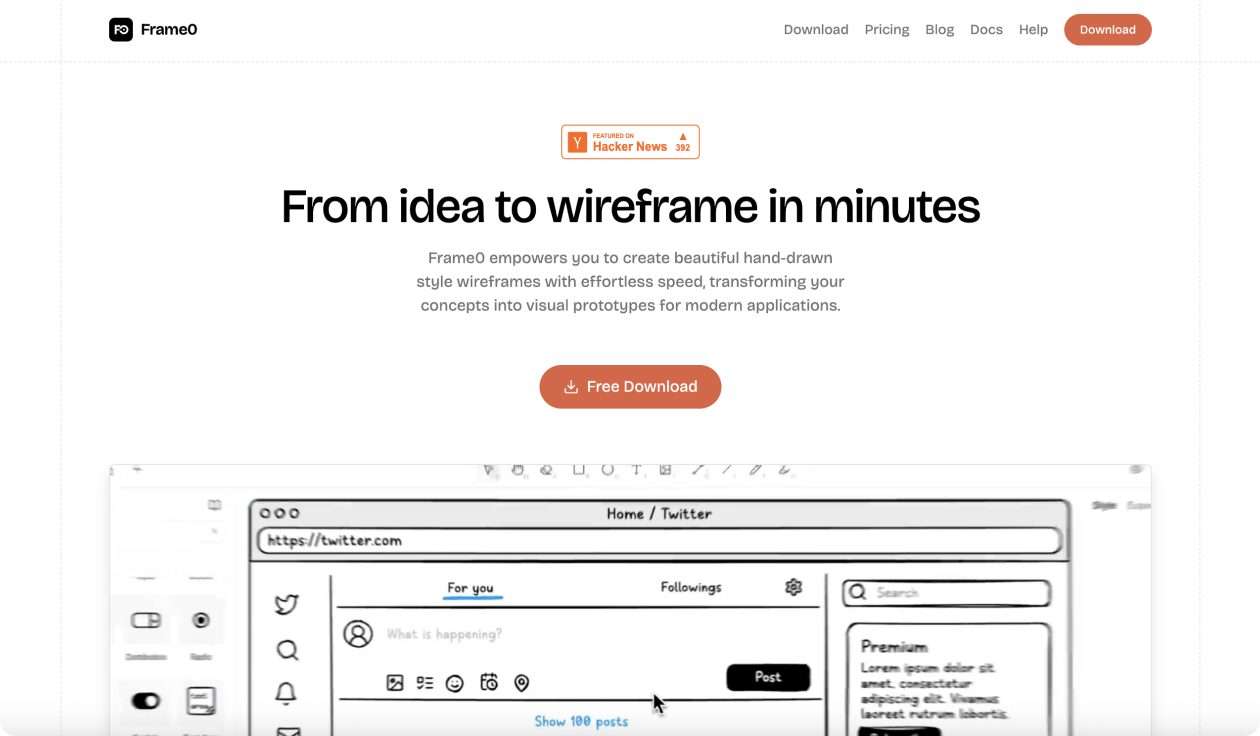
What is Frame0?
Frame0.app is a wireframing tool that specializes in creating hand-drawn style wireframes quickly and easily without focusing on style and layout perfection. It emphasizes rapid idea expression and communication through a stress-free sketchy aesthetic that clearly signals prototype status to stakeholders.
Frame0 Key Features
- Hand-drawn style wireframes: Create sketchy, low-fidelity wireframes that encourage rapid ideation over perfection
- Rich UI component library: Access comprehensive components for desktop, mobile, smartwatch, and web applications
- Component states: Adjust and customize UI component states to demonstrate different interaction scenarios
- 1500+ sketch-style icons: Utilize transformed Lucide icons in consistent hand-drawn aesthetic
- Frame mirroring: Create master frames and reuse them across multiple screens with automatic updates
- Multi-platform support: Design for various device types and screen sizes within one tool
- Export capabilities: Save and share wireframes in multiple formats for presentations and documentation
- Stress-free prototyping: Hand-drawn aesthetic reduces pressure for pixel-perfect designs
Frame0 Use Cases
- Product designers rapidly sketching initial app concepts and user flow wireframes for team discussions
- Startup founders creating low-fidelity prototypes to communicate MVP ideas to investors and developers
- UX researchers building quick wireframes for user testing sessions focused on functionality over visual design
- Product managers documenting feature requirements through visual wireframes for development teams
- Design agencies presenting initial concept wireframes to clients without premature visual design discussions
- Mobile app developers planning app architecture and screen flows before high-fidelity design work
- Students and educators learning wireframing fundamentals through hands-on sketch-style prototyping
Frame0 Pricing
- Free Trial – No time limit but includes watermarks and limited access to premium features
- Solo Plan – $99 one-time payment for lifetime access per device with all premium features
- Premium Features – Templates, advanced exports, and enhanced component library included in paid plan
- No Subscription – One-time purchase model with no recurring monthly or annual fees
Pros of Frame0
- One-time payment model eliminates ongoing subscription costs unlike most wireframing tools
- Hand-drawn aesthetic encourages rapid ideation and reduces perfectionism pressure
- Comprehensive UI component library covers all major platform types and device formats
- Frame mirroring feature enables efficient wireframe reuse and consistency across designs
- Free trial with no time restrictions allows thorough evaluation before purchase
- Sketchy style clearly communicates prototype status to stakeholders and invites constructive feedback
- Lightweight tool focused specifically on low-fidelity wireframing without feature bloat
Cons of Frame0
- Limited to static wireframes without advanced prototyping or interaction capabilities
- Hand-drawn style may not suit all project types or client presentation requirements
- Smaller community and fewer resources compared to established wireframing platforms
- No real-time collaboration features for distributed team workflows
- One-time purchase model means no ongoing feature updates or support included
- Cannot replace high-fidelity design tools for detailed visual design work
- Limited integration options with other design and development workflow tools